





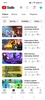
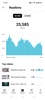

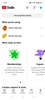
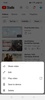
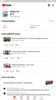
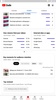
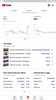

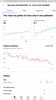
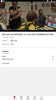
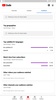
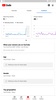
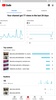

YouTube Studio is the official Google app for YouTube content creators to conveniently manage all aspects of their channel. Thanks to this app, you can discover your audience's habits, among other things. This way, you'll know what kind of videos and shorts are most liked by those who view your content daily, and you can act accordingly.
An app for content creators only
You don't need a minimum number of subscribers to use YouTube Studio, but the app will only be useful for those who use their YouTube account to create content regularly. The goal of this app is to make it easier for you to see all your channel's metrics and help you manage different parts of your community. The app has five tabs to do this: Main Panel, Content, Analytics, Comments, and Revenue. In this last tab, of course, you can see all the money generated by your videos.
Manage your community easily
The Comments tab is one of the most useful parts of YouTube Studio, especially if you have a high volume of interactions. Here, you can see all the comments left by your viewers and respond to them easily. Additionally, you can use the many filters to see only comments from subscribers, comments that contain a question, or only comments from users with a minimum number of subscribers. Everything in this tab is an asset when you're working.
Get all the data on all your videos
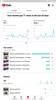
Another key tab for content creators using YouTube Studio is the Analytics tab. Here, you can see your most viewed videos, how long your viewers tend to watch your videos on average, or what the average profile of your subscribers is. All this information will allow you to tailor and refine your content. Thanks to all this data, you'll soon find out what kind of videos your subscribers like the most, which videos create the most engagement, and even when the best time and day to launch your videos is. Thanks to this data, you can refine your channel.
Take control of your videos
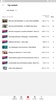
From the YouTube Studio Content tab, you can look at all the videos you have posted, scheduled, or left as drafts. Here, you can view their stats, edit them, share them, check their comments, and even save them directly on your Android device. That's right— if you want, you can save any of your videos locally, just in case.
A must-have tool for content creators
Download YouTube Studio to get the most out of your YouTube channel. Thanks to this app, you can control your channel and make informed decisions using all the data about your videos and community. If you're considering making YouTube your business, this is the place to start.
Requirements (Latest version)
- Android 10 or higher required
Frequent questions
How much space does the YouTube Studio APK take up?
The YouTube Studio APK takes up about 60 MB, so you don't need much space on your Android in order to enjoy it.
Is YouTube Studio free to use?
Yes, YouTube Studio is free to use. Like the official YouTube app, YouTube Studio is completely free. With this app, you can get more information about your YouTube channel, including statistics and various data.
How do I install YouTube Studio on my smartphone?
To install YouTube Studio on your smartphone, just download the latest version of this app from the Uptodown catalog. Once you download the APK file, you can install the tool by giving third-party permissions on your Android device.
How many accounts can I have in YouTube Studio?
You can have several YouTube Studio accounts without a problem. As an extra Youtube app, it lets you log in to whatever accounts you want to manage from it.


 252 reviews
  Excellent features enrich the YouTube managing experience

















Comments
very good app
too good
Why do we have to verify first?
feedback my account please sir monitioze my account & secure & unfreeze my account please sir
very nice
Excellent